
Help teachers give feedback sooner.
Teachers can review suggested grades and feedback, make changes, and share specific feedback with students while the lesson is still fresh.
Gradebox helps teachers give timely feedback on handwritten assignments while giving administrators a clearer view of student progress, learning gaps, and performance across classrooms.
See how Gradebox works for teachers, schools, and districts.

Every day, students show what they know through handwritten assignments, worksheets, and problem-solving. But reviewing that work, giving meaningful feedback, and identifying patterns across classrooms takes time. Much of that valuable information never makes it beyond the individual classroom.
Gradebox helps teachers provide feedback on handwritten assignments while giving school and district leaders a clearer view of student understanding and progress.
Teachers can review suggested grades and feedback, make changes, and share specific feedback with students while the lesson is still fresh.
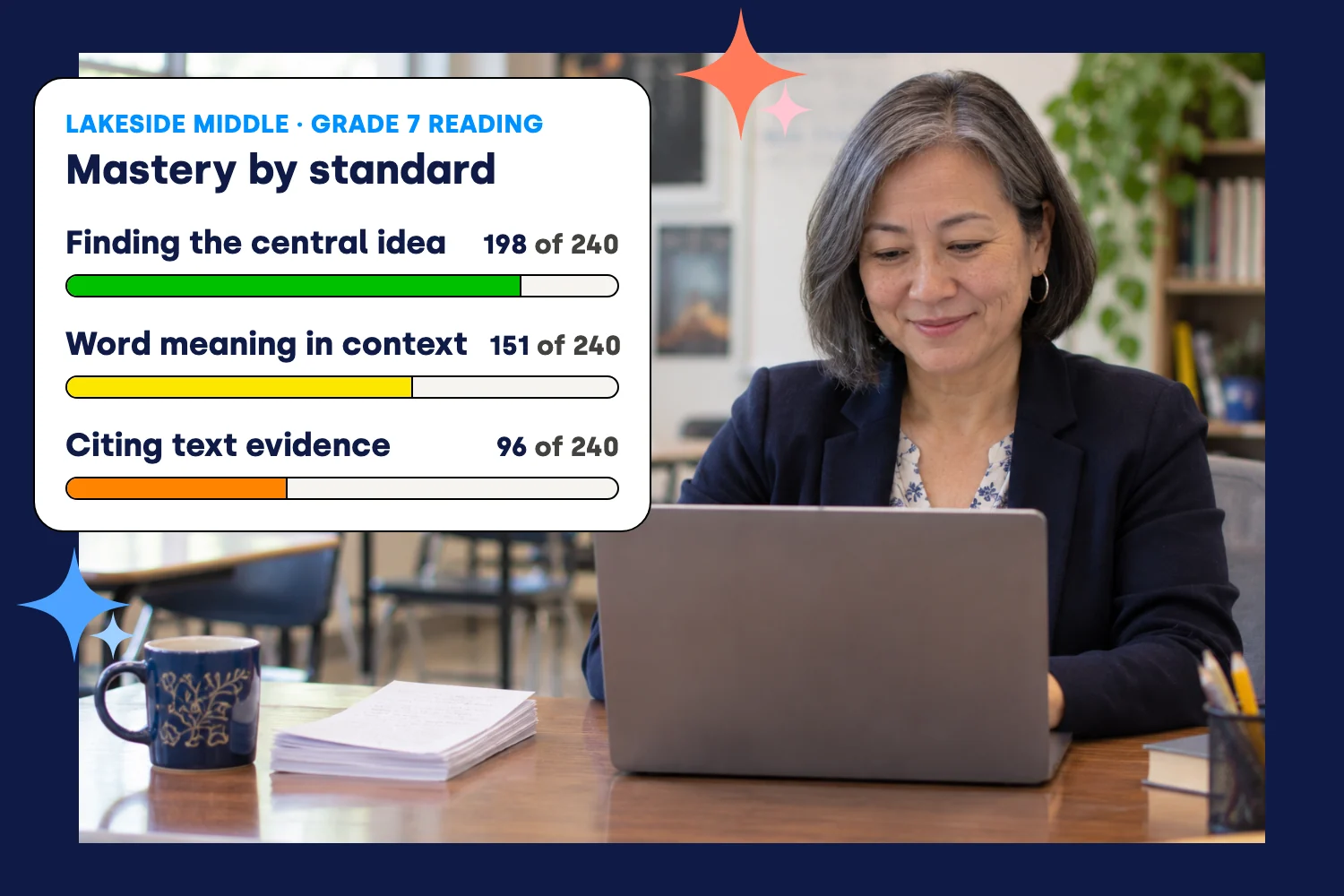
See how students are performing on learning standards across classrooms, departments, and schools. Identify where students are demonstrating proficiency and where they need additional support.
Find patterns in student understanding, identify learning gaps, and review the student work behind the results to help inform instructional decisions at the classroom, school, and district levels.
Students complete their assignments on paper, just like they normally would. Teachers scan the completed work with a phone or tablet.
Gradebox prepares grades and feedback based on each teacher’s answer key and grading instructions. Teachers review the results, make any changes, and approve before sharing feedback.
Gradebox brings together results from participating classrooms so administrators can see how students are performing on learning standards and where additional support is needed.
Gradebox gives school and district leaders a dedicated Admin Portal to understand student learning, identify areas that need attention, and manage participating teachers and classrooms.
View assessment results across teachers, classrooms, grade levels, and subjects. Identify patterns in student understanding and see where additional support may be needed.
See which standards have been assessed, where students are demonstrating proficiency, and how performance changes across assignments and reporting periods.
Go beyond scores and charts. Open individual assignments to see students’ handwritten responses, grades, and teacher-approved feedback.
Invite teachers, organize classes and student rosters, manage access, and navigate between schools within your district.
No. Gradebox works with the worksheets, quizzes, and handwritten assignments teachers already use. Students continue completing their work on paper, and teachers scan it with a phone or tablet.
Teachers create their classes, add an assignment and answer key or grading instructions, and scan completed student work. Gradebox helps organize submissions and prepare feedback for review, so teachers can work with their existing classroom materials.
Yes. Gradebox prepares suggested grades and feedback based on the teacher’s instructions. Teachers review student work, make any changes, and approve the results before feedback is shared with students or families.
School leaders can review student performance across teachers, classrooms, grade levels, and subjects. They can also examine progress on learning standards, identify areas where students need support, and access the original handwritten work behind the results. District administrators can access participating schools and their reporting.
Yes. Schools and districts can begin with a pilot involving a smaller group of teachers, evaluate how Gradebox fits their classrooms, and expand implementation as needed.
Gradebox uses role-based permissions to control access to student information. Teachers access their classrooms, while authorized school and district administrators have access based on their assigned roles. We can walk through our data handling and privacy practices during your evaluation.
Pricing depends on the number of teachers and administrators and the scope of your implementation. Schedule a demo to discuss your school’s needs, pricing, and pilot options.
We’ll show you how teachers use Gradebox with paper assignments, what school leaders can see in the Admin Portal, and how to get started with a pilot.
A walkthrough of the teacher and administrator experience.